
How it works
From client details to work done.
Add a client, organize their work, and ask for what you need. Kettle keeps it connected.
-
01 / Client
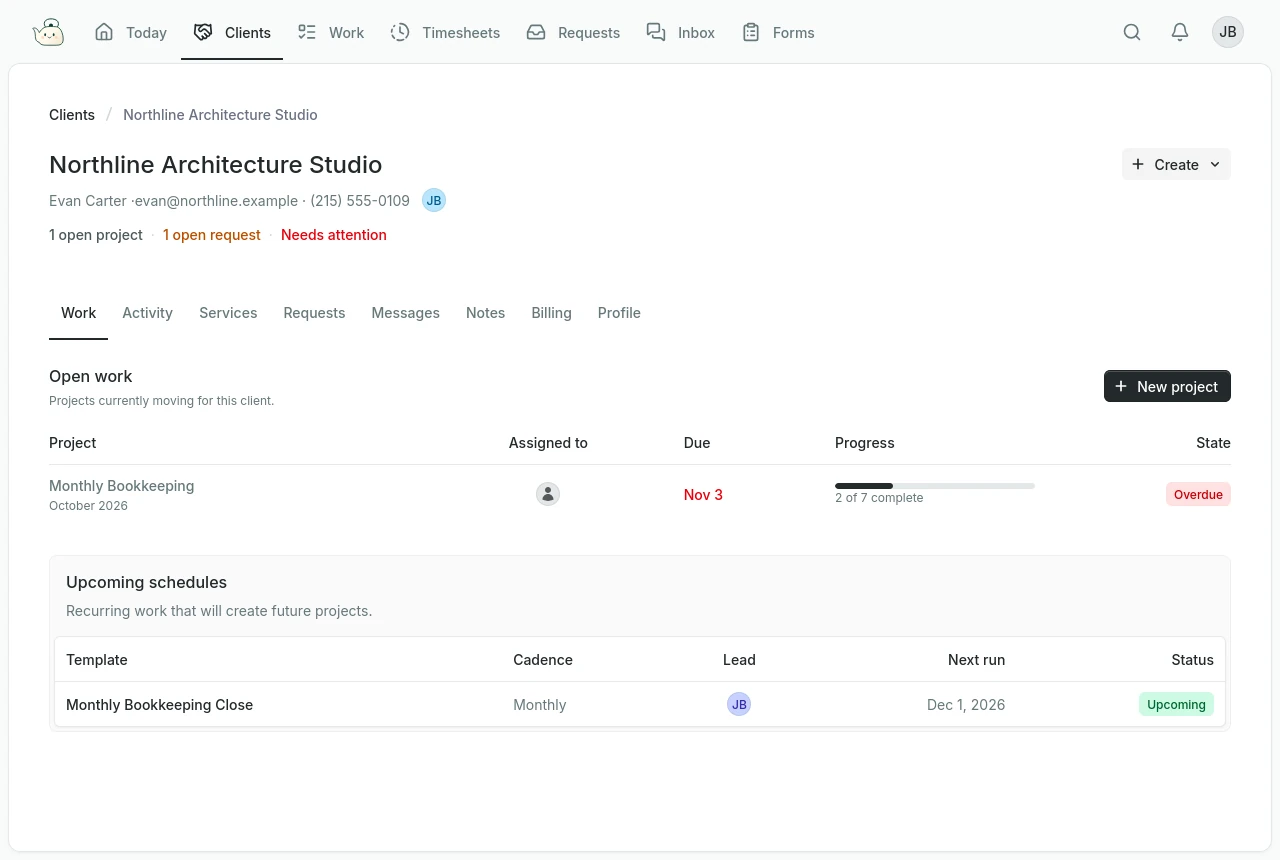
Add the people you work with.
Create a client record, add their contacts, and assign an owner. Connect your services and keep internal notes ready for anyone on your team.
-
02 / Work
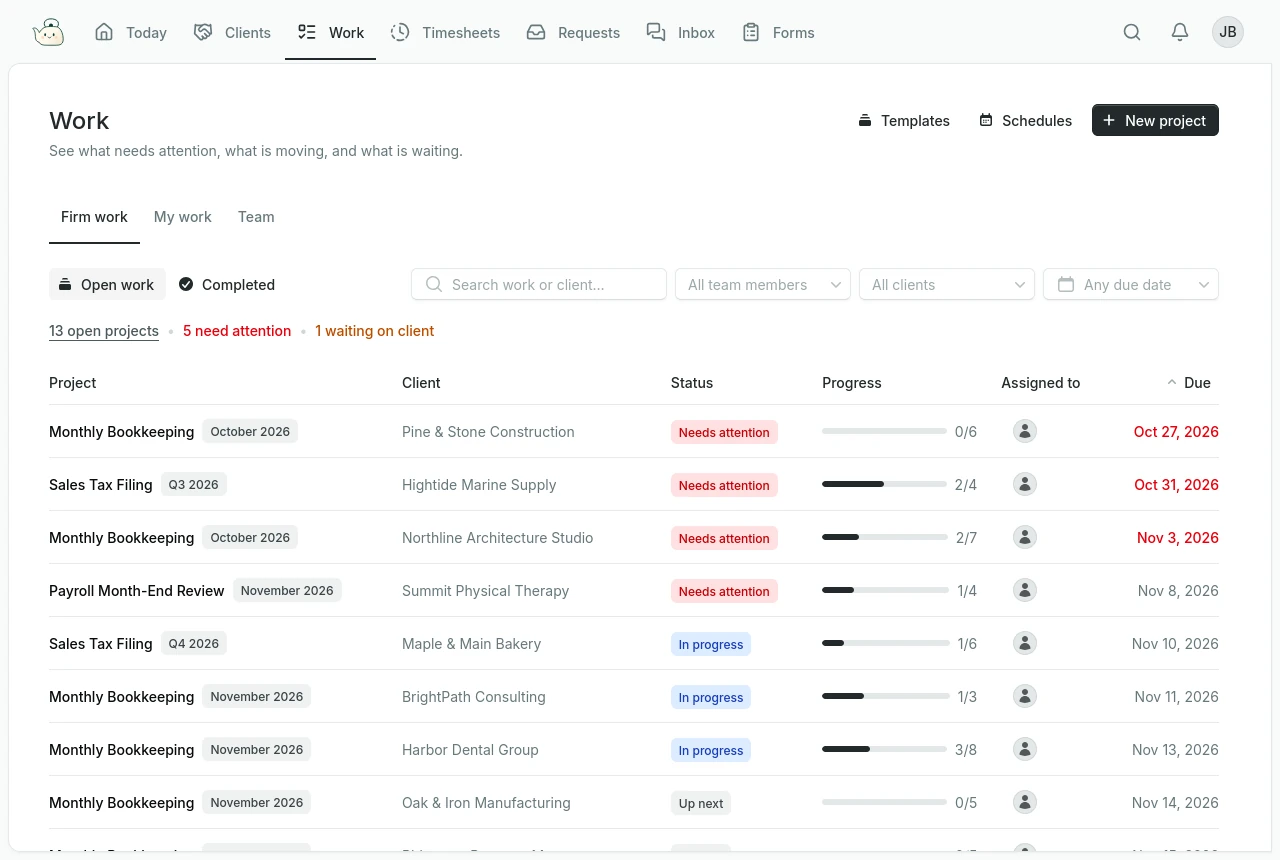
Plan the work and share it out.
Create a project for the client. Add to-do lists and tasks, assign team members, and set a due date so everyone knows what to do next.
-
03 / Request and reply
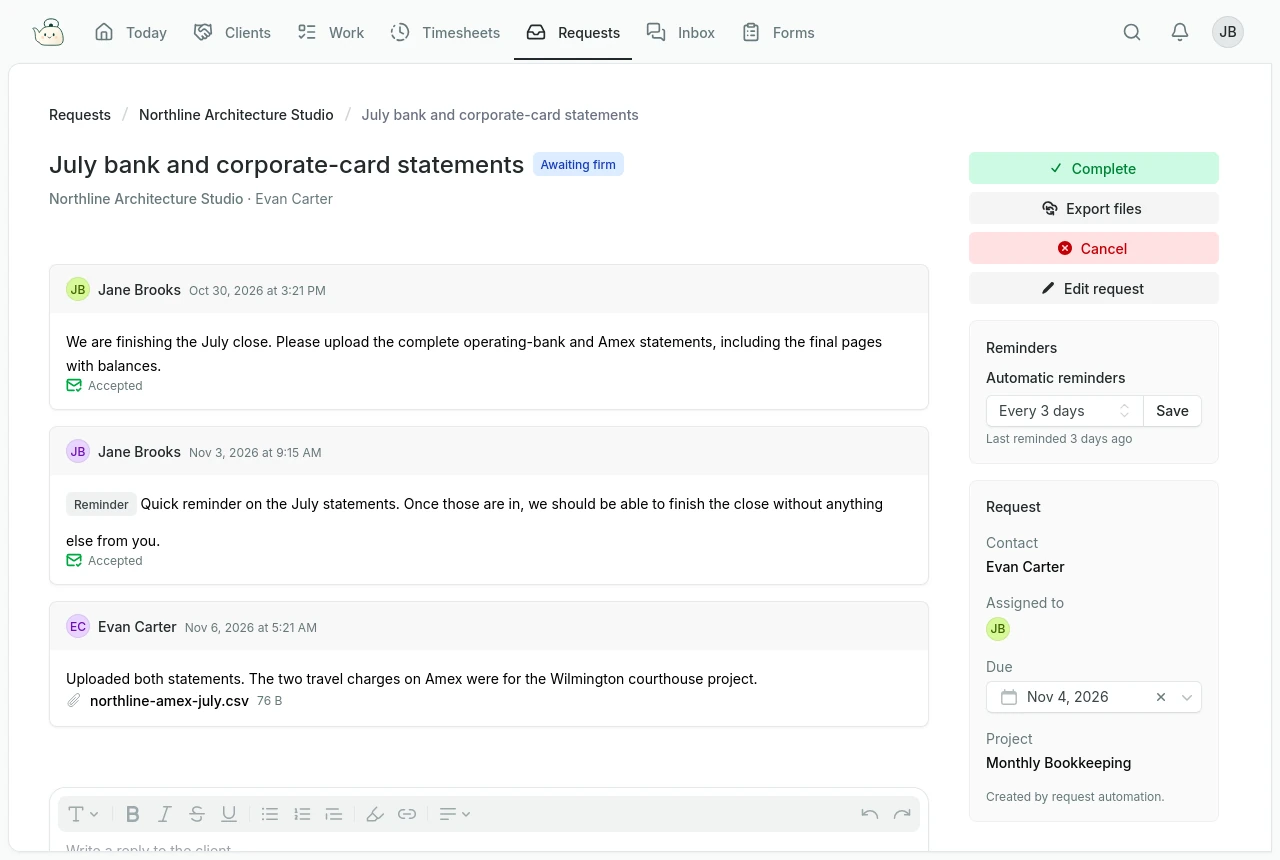
Get what you need to finish.
Send a contact a request with a due date, linked to the project when useful. Replies and documents stay with the question, so your team has the context to follow up and mark it complete.
A little more room to breathe.
Your clients, your work, your day. Together in Kettle.